Spa and Salon
Every chair, room and branch on one record, from the first booking to the books.
Learn more
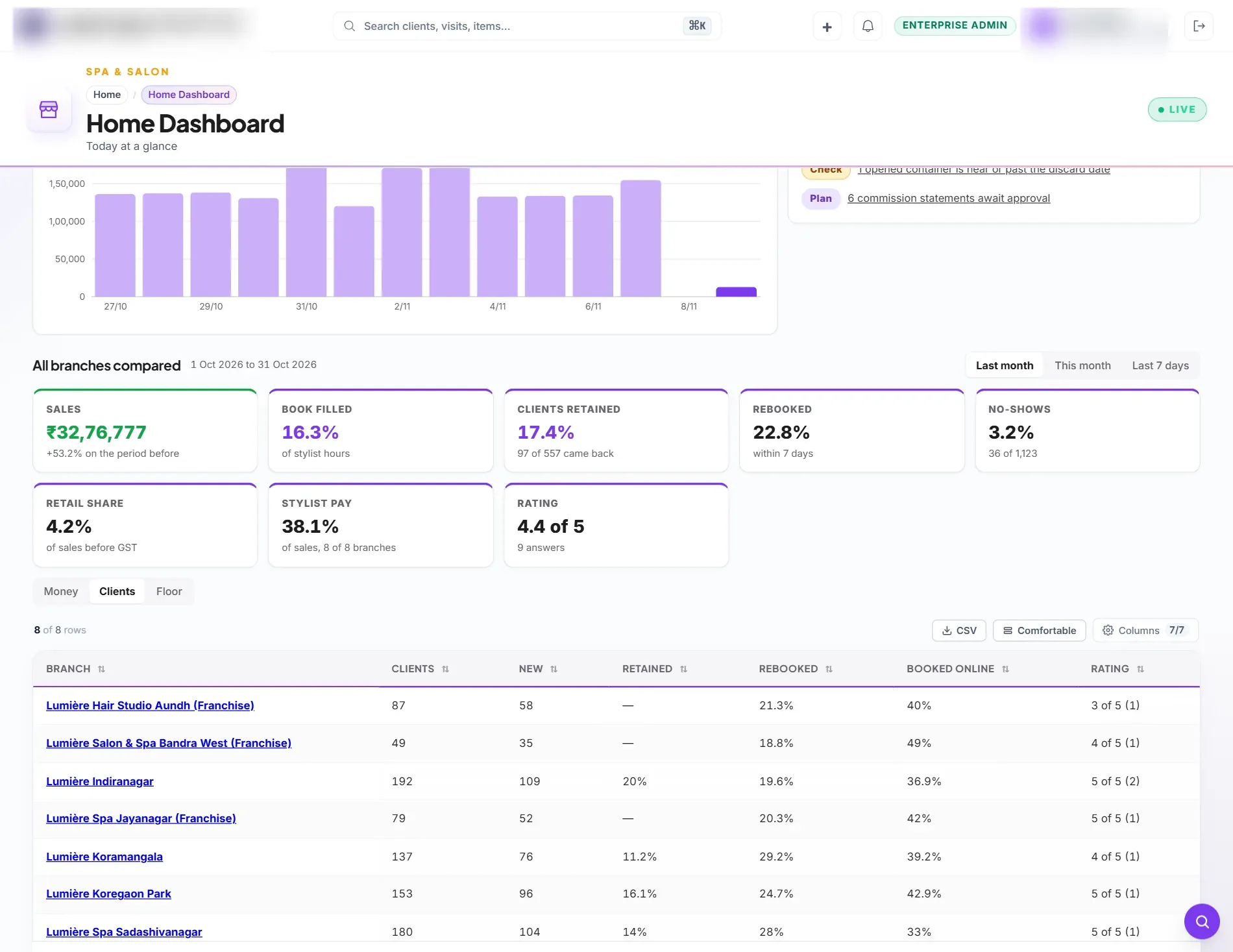
Run every chair, room and branch on one record: bookings, the bill, prepaid plans, back-bar stock, commission, payroll and GST books, with a login for each branch manager and every branch compared for head office.
Who it is for
Salon and spa chains with several branches, company-run or franchise.
Owners who want each branch's day, stock and pay in one place, without calling anyone.
Growing salons that have outgrown a booking tool and a separate set of accounts.
Sound familiar?
The booking tool, the till, the stock sheet and the accounts never agree.
Nobody can say what each branch took today without calling it.
Packages and gift cards are sold, but what we still owe clients is a guess.
Franchises order stock by WhatsApp and head office adds it up by hand.
Commission takes days to work out, and is argued about every month.
A branch manager cannot be given access without seeing the whole company.
How it works
Clients book a free time on your own website or at the desk. The calendar knows skills, stations, colour processing time and each stylist's roster.
The live floor shows who is coming, waiting and in the chair. Starting and finishing a service takes one tap, and its recipe takes stock off the back bar.
Services, products, loyalty points, gift card, package or membership on one bill, with GST and the net to pay shown before it is raised.
The sale, the tax and the payment reach the day book as the bill is raised. Commission and tips are carried to payroll.
Branches order stock, head office joins the orders into one purchase order and routes the goods, and every branch is compared on one page.
What is specific to salon and spa
Several services in one visit, processing time when the stylist is free for someone else, station turnaround, skill levels and machines booked like people.
The service rate is set per branch, including 5% without input tax credit for beauty services. Retail products keep their own rates.
Packages and memberships deferred and released as used; gift cards and wallet held as what you owe, with a report agreed to the books.
Weekly or monthly orders from each branch, one purchase order for the chain, and stock moved to each branch when it is received.
A branch or franchise manager sees only that branch, its staff and its payroll, and is refused the company's books.
Sales and growth, book filled, clients retained, rebooked, no-shows, retail share, stylist pay and rating, branch by branch.
Every chair, room and branch on one record, from the first booking to the books.
Learn moreA fast till that keeps books, stock and GST right without a second system.
Learn moreA shop of your own on your own domain, taking orders straight into the same stock and books.
Learn moreKnow what you have, where it sits and how old it is, down to the bin.
Learn moreFrom enquiry to paid bill, with the supplier compared and the receipt matched.
Learn moreFrom hire to full-and-final, with payroll that matches Indian statute.
Learn moreBooks that close themselves from the work your team already did.
Learn moreGST, TDS and e-invoicing built for how Indian businesses actually file.
Learn moreAlso see: Prabandh for Spa and Salon · Spa and Salon module · See a demo salon website · Packages
More than a PLM
Most brands buy a PLM, then add a project tool, a supplier portal, a website builder, a marketplace connector, an ERP and a payroll package, and spend their evenings keeping them in step. In Prabandh they are one system, on one item master and one set of books.
Calendars and templates, critical path, stage gates, cost and earned value, tied to the styles they deliver.
Learn more Supplier portalInvited suppliers see the RFQs sent to them, quote line by line and record the samples they ship.
Learn more Landed costFreight, duty and clearing per origin, with a tariff simulator to see how far duty can move before you source differently.
Learn more Online storeTemplates made for fashion, online payment through your own Razorpay account, Cash on Delivery, coupons, shipping and returns.
Learn more E-commerce HubA price per channel, style and SKU, listings checked before they are sent, one order inbox and every payout matched to its order.
Learn more Retail and franchiseCounter billing, franchise and multi-brand stores, sell-through and stock cover by store and style.
Learn more ERP and GSTPurchases, stock by location, sales, GST returns and e-invoicing, posted from what merchandisers create.
Learn more PeopleAttendance, leave, payroll, expenses and recruitment for the studio, the warehouse and the stores.
Learn more Payments HubPayment links through your own Razorpay, Cashfree or Paytm account, each payment matched to its invoice.
Learn moreSee it working
The 17-minute walkthrough, with chapters. The brand in it is illustrative, and the marketplaces are Prabandh's built-in simulators; live marketplace connectors are switched on channel by channel.
One view
One grid shows each style, its SKUs and the stock you can sell, with its listing, price and stock on your website and on every marketplace account, filtered by your own product hierarchy.
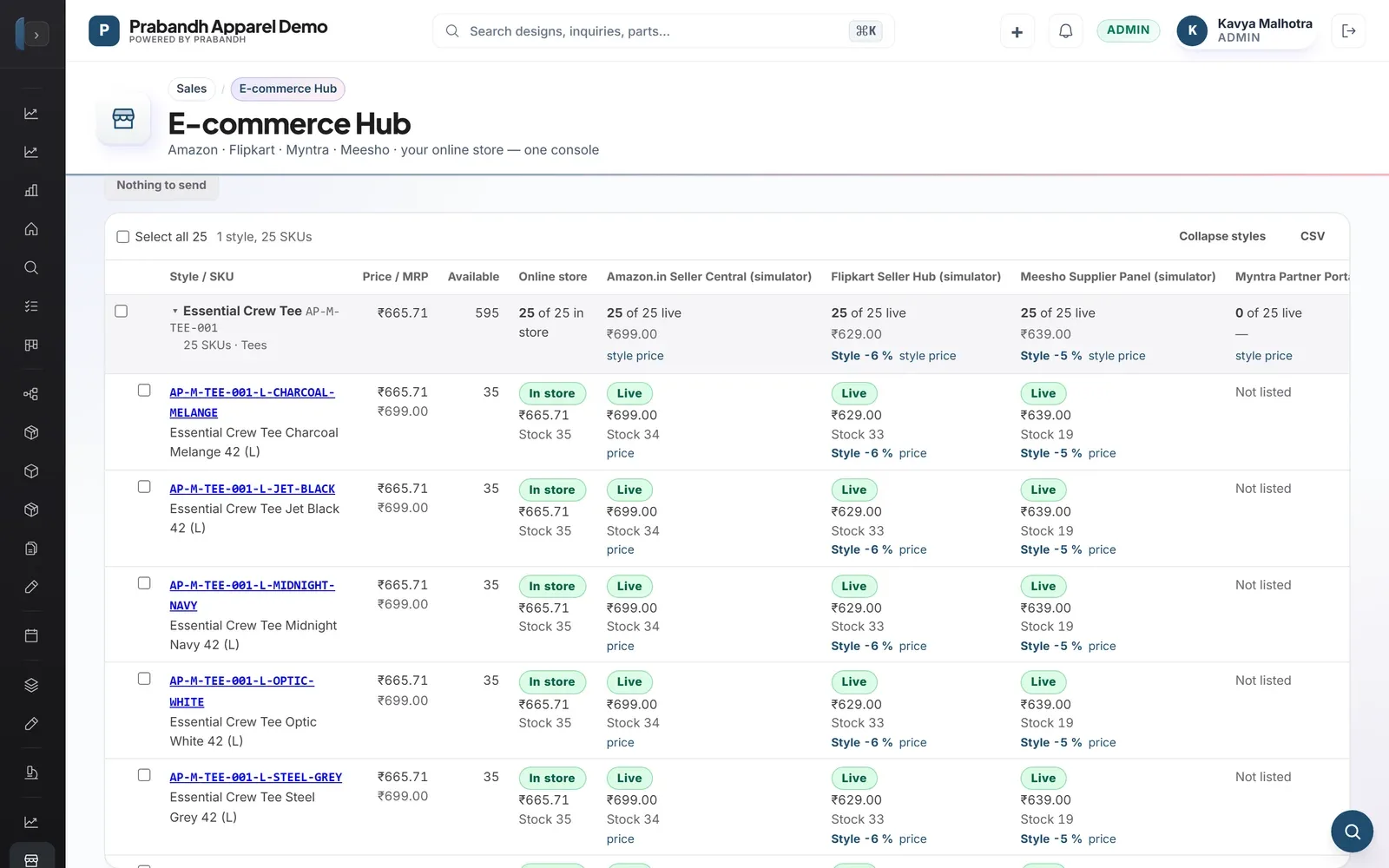
Channel pricing
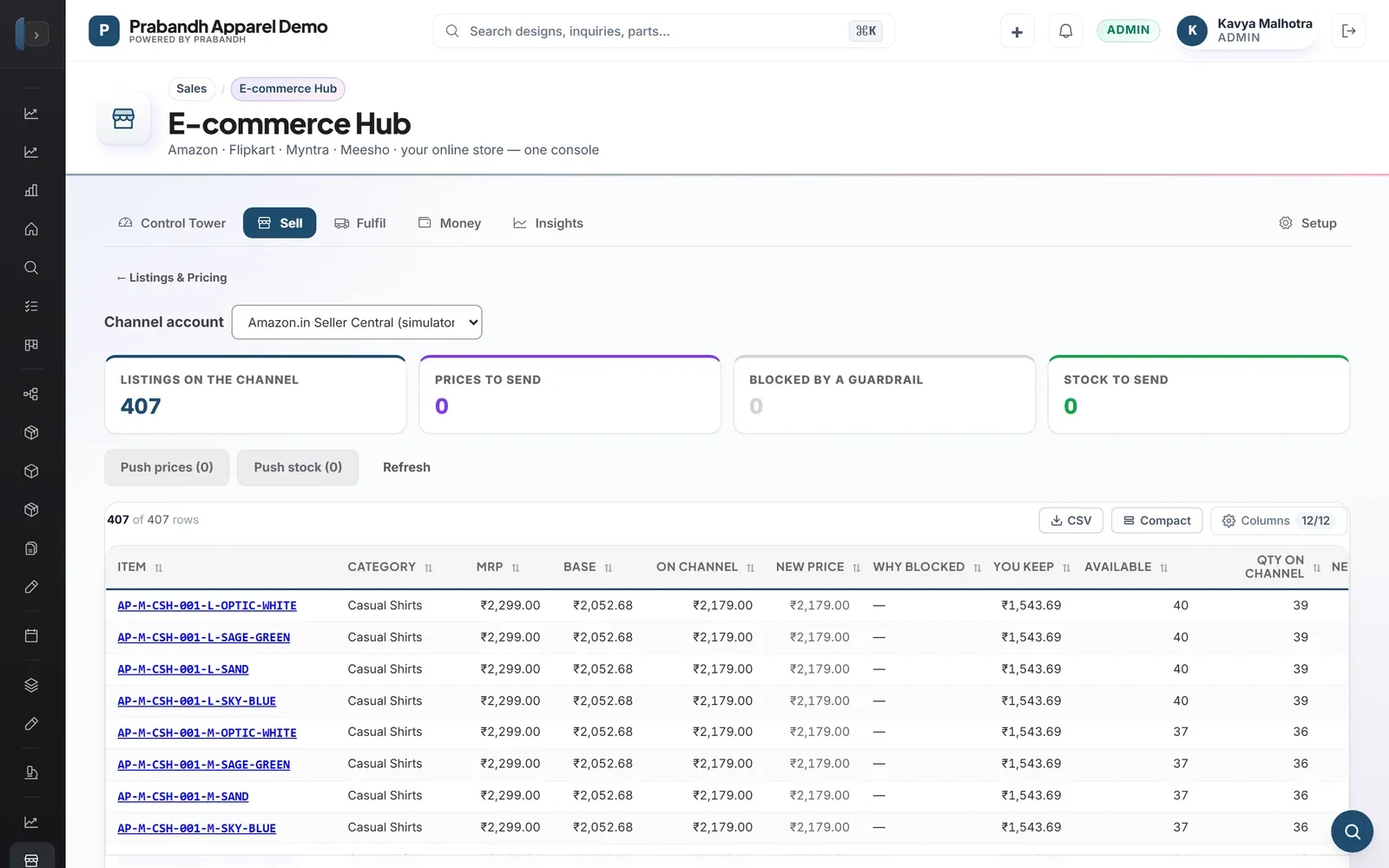
Set a rule per channel and category, a price for a whole style or one for a single SKU. Prices never go above MRP, never under your floor, and nothing leaves until you send it.
Line planning
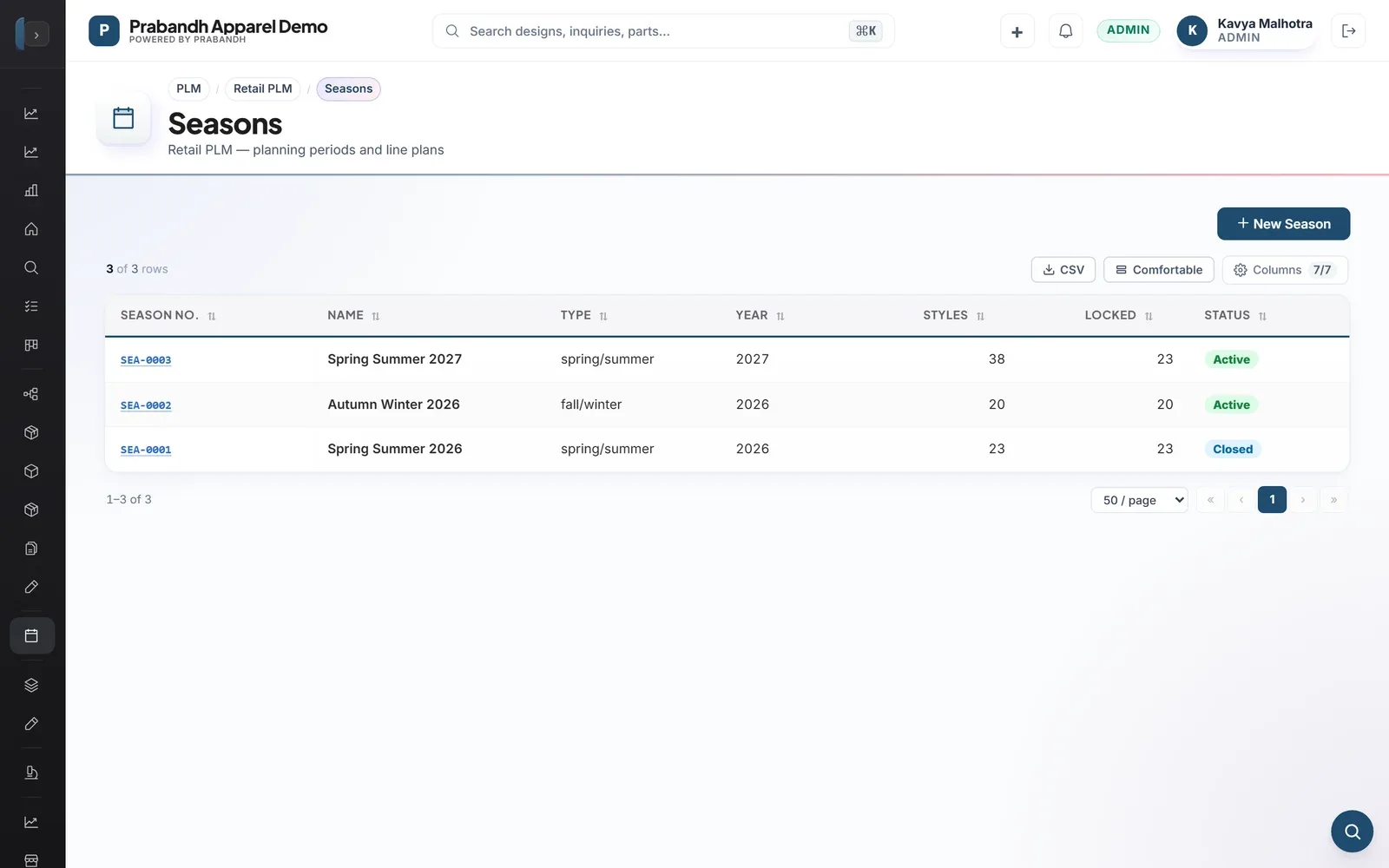
Plan the season with carryover and new styles, see which styles are ready, late or blocked, and release colour-and-size SKUs into the same system that sells them.
Sourcing
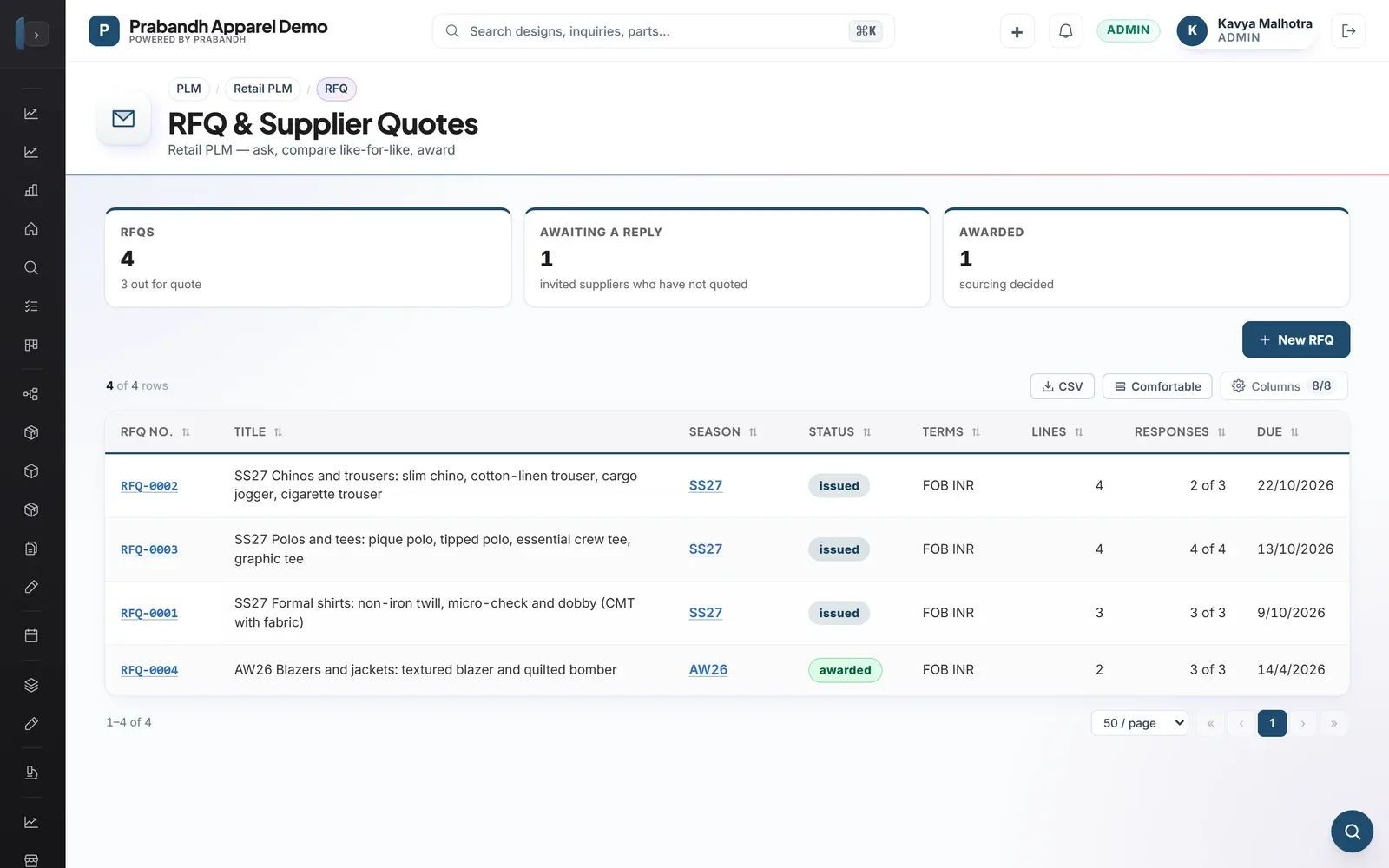
Send an RFQ to your factories, compare their quotes line by line with each supplier's on-time and quality record beside the price, and award line by line.
Landed cost
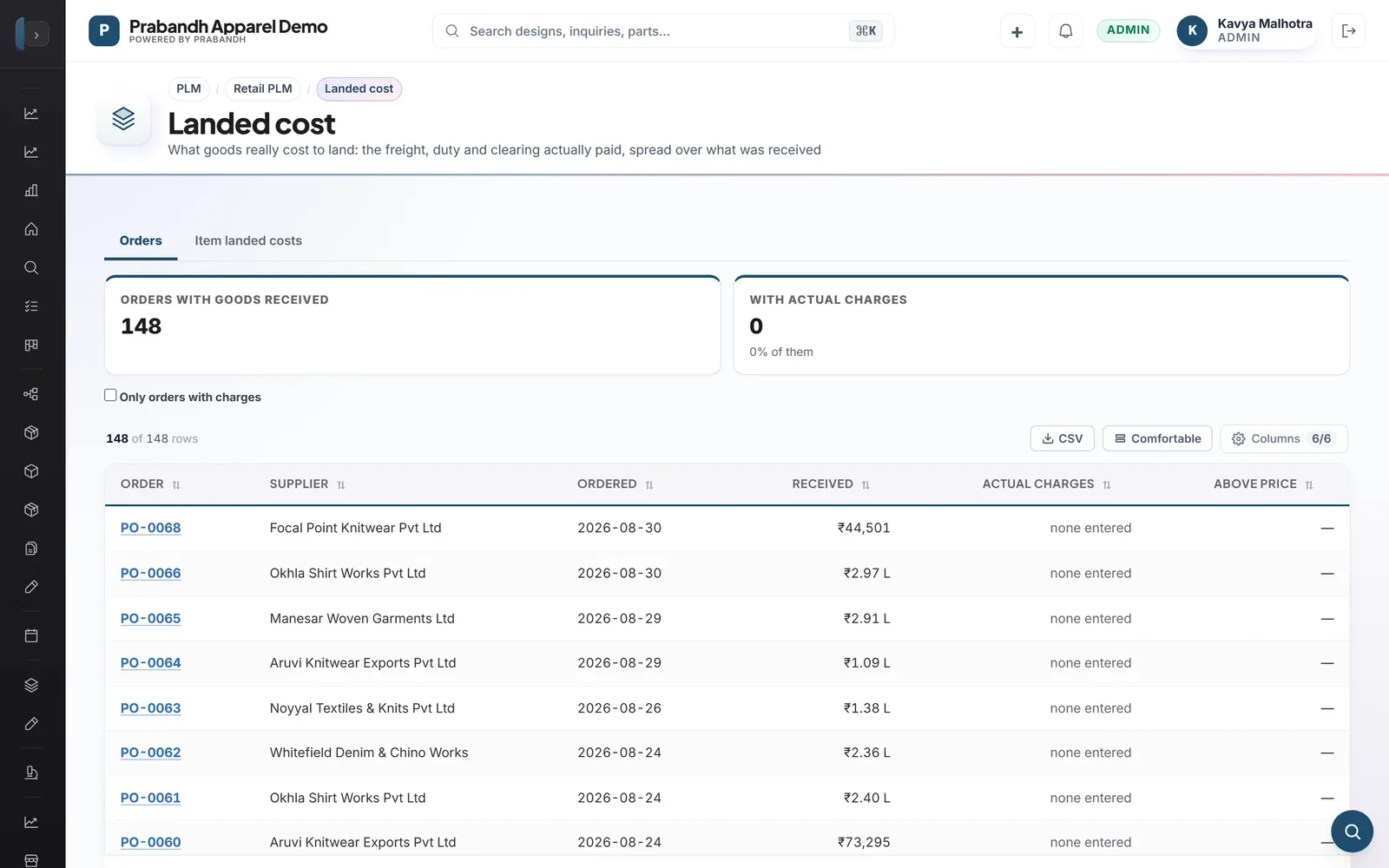
Freight, duty and clearing per origin on a configurable cost ladder. An origin with no confirmed duty rate is left out rather than winning by default.
It is software that runs a salon or spa's day: appointments and walk-ins, the bill, clients, packages and memberships, product stock and staff pay. Prabandh does this on the same record as purchasing, payroll and GST accounts, so a chain does not have to reconcile a booking tool with a separate set of books.
It suits one branch, but it is built for chains: each branch has its own calendar, till, stock, staff and managers, and head office compares them all. A single chair that only needs appointments will find it more than it needs.
Yes. Franchise branches run on the same system with their own manager logins, each limited to that branch, and order stock through head office.
Yes. The service GST rate is set per branch, including 5% without input tax credit for beauty services, and retail products keep their own rates. Packages, memberships, gift cards and advances each follow their own treatment in the books. Your accountant should confirm how these apply to your business.
Yes, on the salon's own website. Clients choose a branch, a service and a free time, sign in with a phone OTP, and can move or cancel within your rules. Online booking stays off for a branch until a manager turns it on.
Send an inquiry or request a demo. A specialist replies within one working day. Pricing is given by inquiry because it depends on branches, users and the data you bring across.